
Still deciding? Your welcome offer is ready to claim.
Welcome bonus
Claim Bonus
18+. T&Cs apply. Play responsibly.

Create an Astromania Account
Register with your details to open an account and access Astromania’s casino and sportsbook.
Welcome bonusWelcome bonus
Enter your personal details in the registration form and confirm that you meet the age of majority where you live.
Verify your account using the confirmation link or code sent to your e-mail address or phone.
After registration, make a first deposit of at least $25; the welcome package offers up to $3,900 plus 350 free spins across 4 deposits, with 35× wagering on the combined offer and 40× on free spins.
Complete identity verification when requested by submitting proof of identity and, if asked, proof of address.
To register at Astromania, enter your details in the account form, submit it, and complete any contact confirmation requested on screen. Use accurate personal information so the details on the account can be checked against your identity later. Registration creates an account; making a deposit and completing identity checks are separate steps that may apply before you use account features.
Open the registration form and fill in each required field with your own current details. Read the entries before submitting, especially your name and contact information, since errors can make confirmation or later verification harder. Keep access to the e-mail address or phone number entered in the form in case Astromania asks you to confirm it.
Astromania registration is for people who have reached the age of majority where they live. Submit one account for yourself rather than creating accounts under different details. After the form is accepted, use the sign-in area with the credentials created during registration; if the site requests contact confirmation, complete that step before continuing.
Contact confirmation helps connect the account to the e-mail address or phone number entered at sign-up. Follow the on-screen instruction and check that the confirmation is complete before moving on. If a confirmation message does not arrive, review the address or number entered and use the account support options for help.
Identity verification, often called KYC, may be requested when the casino needs to confirm who owns an account. This commonly involves proof of identity and may include evidence of address or payment ownership. Provide clear, consistent information when asked; the casino may request further documentation if the first submission does not resolve its check.
| Registration detail | What applies |
|---|---|
| Account form | Enter your own accurate personal and contact details |
| Contact confirmation | Complete it if requested during sign-up |
| Identity checks | May be requested to verify account ownership |
| Eligibility | You must have reached the age of majority where you live |
Once registration is complete, the cashier is where you can make a deposit. Astromania has a minimum deposit of $25. Check the amount shown in the cashier before confirming a transaction, and make sure the account details are correct.
The welcome package is activated after registration and is offered across four deposits: up to $3,900 plus 350 free spins. The wagering requirement is 35× for the combined offer and 40× for free spins. Review the offer conditions before opting in or using its benefits, since those conditions determine how the package applies to your account.
The registration and deposit steps can be kept in this order:
Use the same personal details throughout registration and any later verification. If you notice a mistake after submitting the form, contact support before trying to create another account. The casino provides live chat and e-mail support for account questions, including help with a registration issue or a contact-confirmation problem.
Astromania is operated by Dreamline Ventures SRL and holds a licence from the Tobique Gaming Commission, number 0000071. The casino is played in a web browser and has no mobile app. You can access the account through the browser on a compatible mobile device as well as on a computer.
What documents might identity verification require? KYC checks commonly ask for proof of identity and may also request evidence of address or payment ownership. Make sure the details on any documents match the information on your account. The casino may request additional evidence if it needs to clarify an identity check.
How long does account verification take? Verification timing can depend on the documents submitted and any follow-up checks. The casino states the timing in its terms. Submit clear documents and check your account for requests that need a response, since incomplete verification can leave the review unfinished.
Can I create more than one account? Create one account for yourself using your own details. If you have trouble accessing an existing account, contact support rather than opening another account to work around the problem. Keeping your registration details consistent also helps with any identity checks later.
Can I change my details after registering? Contact support if your name or contact details need correcting. Do not use a second account to replace the first one. Support can advise how to handle an account change and whether any information must be verified before it is updated.
Is a deposit required to register? Registration and depositing are separate steps: first create and confirm the account, then use the cashier if you choose to deposit. Astromania’s minimum deposit is $25. Check the cashier before confirming so you can see the amount that applies to the transaction.
When does the welcome package apply? The welcome package is activated after registration and spans four deposits. It offers up to $3,900 plus 350 free spins, with wagering requirements of 35× for the combined offer and 40× for free spins. Read the offer conditions before using it so you understand how it applies.
| Registration detail | What applies |
|---|---|
| Registration | Complete the registration form, confirm your contact details if prompted, then sign in to your account. |
| Operator | Dreamline Ventures SRL |
| Licence | Tobique Gaming Commission, licence 0000071 |
| Minimum deposit | $25 |
| Welcome package | Up to $3,900 + 350 FS across 4 deposits |
Create an Astromania account by completing the registration form and following the instructions shown on screen. These answers cover account access, verification, eligibility, and the casino’s licence.
To sign up at Astromania, open the registration form, enter the details it requests, and submit it. Use your own accurate information so it can be matched during account checks. Follow any on-screen instructions to finish creating the account, then use your registered credentials to log in.
Astromania account access is through the casino website. After registering, enter your account credentials on the login form to sign in. The site is compatible with mobile browsers, so you can access your account from a phone or tablet without a separate mobile app.
Astromania is licensed by the Tobique Gaming Commission under licence number 0000071. This licence identifies the authority overseeing the casino. Keep your account information accurate and follow any verification instructions shown after registration so your account details can be checked against your identity.
Account verification may require documents that confirm your identity and personal details. Submit the requested documents through the account verification process and make sure the information matches the details used during registration. The casino may request verification as part of its account checks before allowing account activity to continue.
You must be at least the age of majority where you live to open an Astromania account. Provide truthful personal details during registration, since those details may be checked during verification. Registration is for an individual account, and the casino may ask you to confirm your identity before account access is fully verified.
Astromania offers support through live chat and email for account questions. Contact either channel if you need help with registration, account access, or a verification step. Include enough detail for the support team to identify the issue, but do not send sensitive account credentials in a support message.
Gambling should be entertainment, not a way to earn money. Set deposit limits, take breaks, and stop when it is no longer fun.
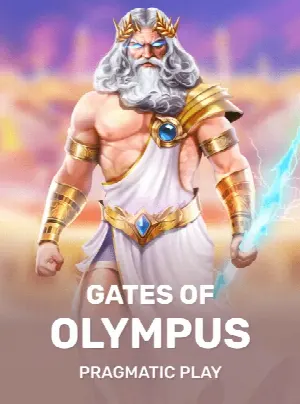 Gates of OlympusPragmatic PlayBonus buyRTP96.5%
 Coin Win Express: Hold The SpinGamzixBonus buyRTP96%
 Wild Cash x9990BGamingBonus buyRTP96.1%
 True Golden SlotTrueLabJackpotsBonus buyRTP94.21%
 5 Mega Thunder Coins RUNNING WINSFugasoJackpotsBonus buyRTP96.11%
 Big Bass Trophy CatchPragmatic PlayBonus buyRTP96.5%
Welcome bonus
Spin once for a tip from the lobby: an offer to claim or a game to try today.
Still deciding? Your welcome offer is ready to claim.